Branch node
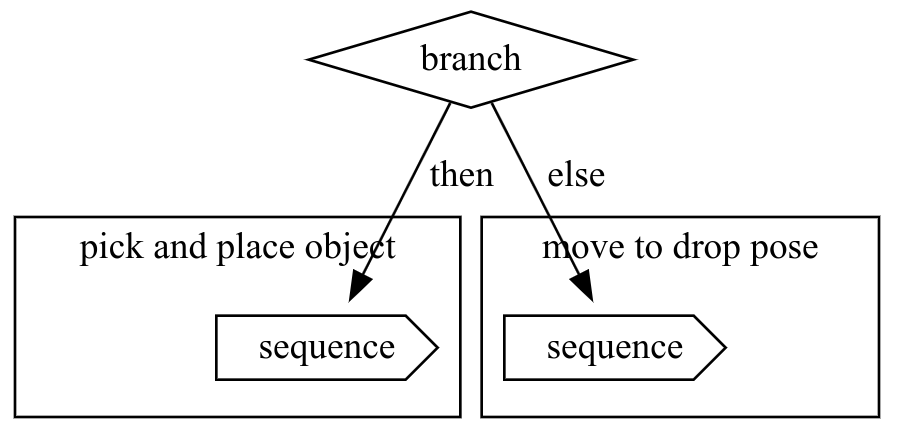
The branch node has an "if" condition and two children for either outcome of the
condition. When the root branch node gets selected, it will immediately
transition to Running (after checking the decorators). It then evaluates
the condition and based on the outcome, either selects the then child or
the else child.
Properties
| Property | Description |
|---|---|
| Child semantics | then: if the condition holds, this sub-tree (branch) is executed else: if the condition does not, this sub-tree (branch) is executed |
| Parameters | name: name of the node condition: the condition on which the child to execute is determined then-child: the subtree to execute of the condition holds else-child: the subtree to execute of the condition does not hold |
| Success criterion | Condition is satisfied and the then-child succeeded or no then-child; or condition not satisfied and else-child succeeded or no else-child. |
| Failure criterion | Condition is satisfied and the then-child failed; or condition is not satisfied and else-child failed. |
Python API
The node can be constructed by parameterizing it either when it's created or by using the builder pattern as shown below. Before execution, at least one of the else-child and then-child must be specified. A condition also has to be provided.
branch = BT.Branch(if_condition=BT.SubTreeCondition(tree=estimate_block_pose))
branch.set_then_child(pick_and_place_object)
# Optional
branch.set_else_child(move_to_drop_pose)