Execute solution on hardware
This page provides a step-by-step guide for executing a solution on hardware from the Home page, the Solutions page or the Solution Editor.
warning
This guide does not include guidance on safety. Set up adequate safety systems and conduct all risk assessments before deploying to real hardware.
Execute from Home or Solutions page
-
Click the overflow menu (⋮) for your preferred solution.
-
Choose Execute on HW (Physical Machine)
-
In the dialog that appears, select an IPC from the drop-down menu.
-
Click the continue button.
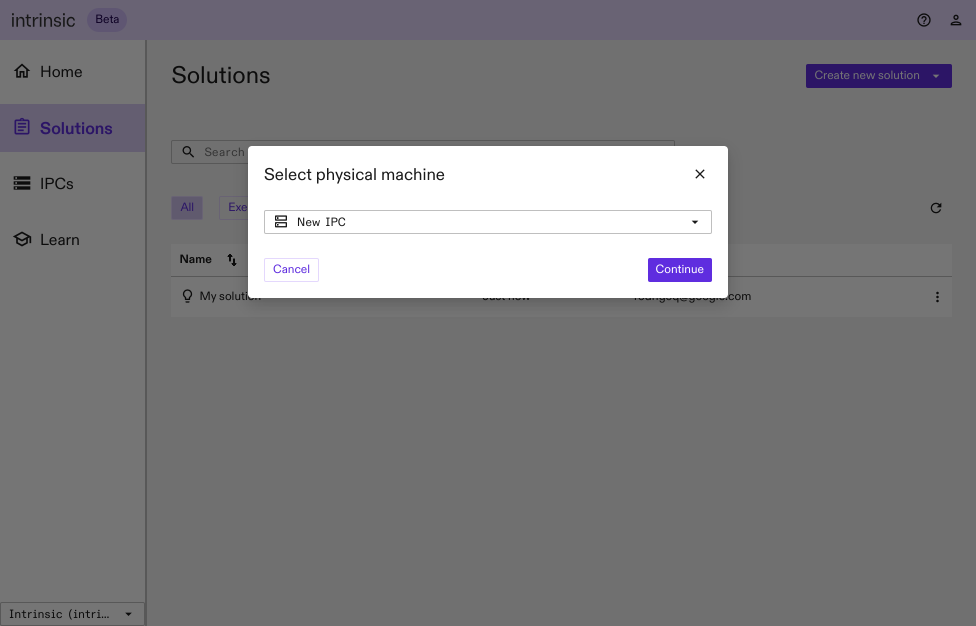
To stop the solution, select overflow menu (⋮) > Stop.
Execute from the Solution Editor
- To select your preferred execution option, access the navigation menu at the top of the Solution Editor.
- From the drop down menu next to Execute on, choose Real hardware