Preplan motion
This page provides an overview of how to preplan motions through the
preplan_motion skill.
Example
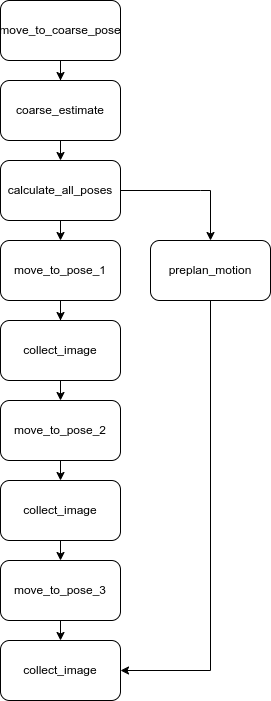
Consider the following scenario. A process editor is working on an application that uses an on-arm camera to take multiple images of a static object. The following image shows the process.

The process starts with the robot arm moving to a predefined pose. Then the
on-arm camera is used to perform a coarse pose estimation of the object. The
pose is used to compute a set of three poses. The robot arm will move to each of
the three poses. The on-arm camera is then used to take an image of the object
from each pose. At each move_to_pose_X skill, the robot will first compute the
trajectory to the pose before executing the motion. This results in some
"waiting" time before the robot starts moving. To eliminate this "waiting" time,
the user can preplan the motion using the preplan_motion skill by putting it
in parallel with all the move_to_pose_X skills. The preplan_motion skill
computes trajectories to each pose and stores them in the
motion planner cache.
The trajectory can then be quickly retrieved and executed by all
move_to_pose_X skills. The new process looks like this:
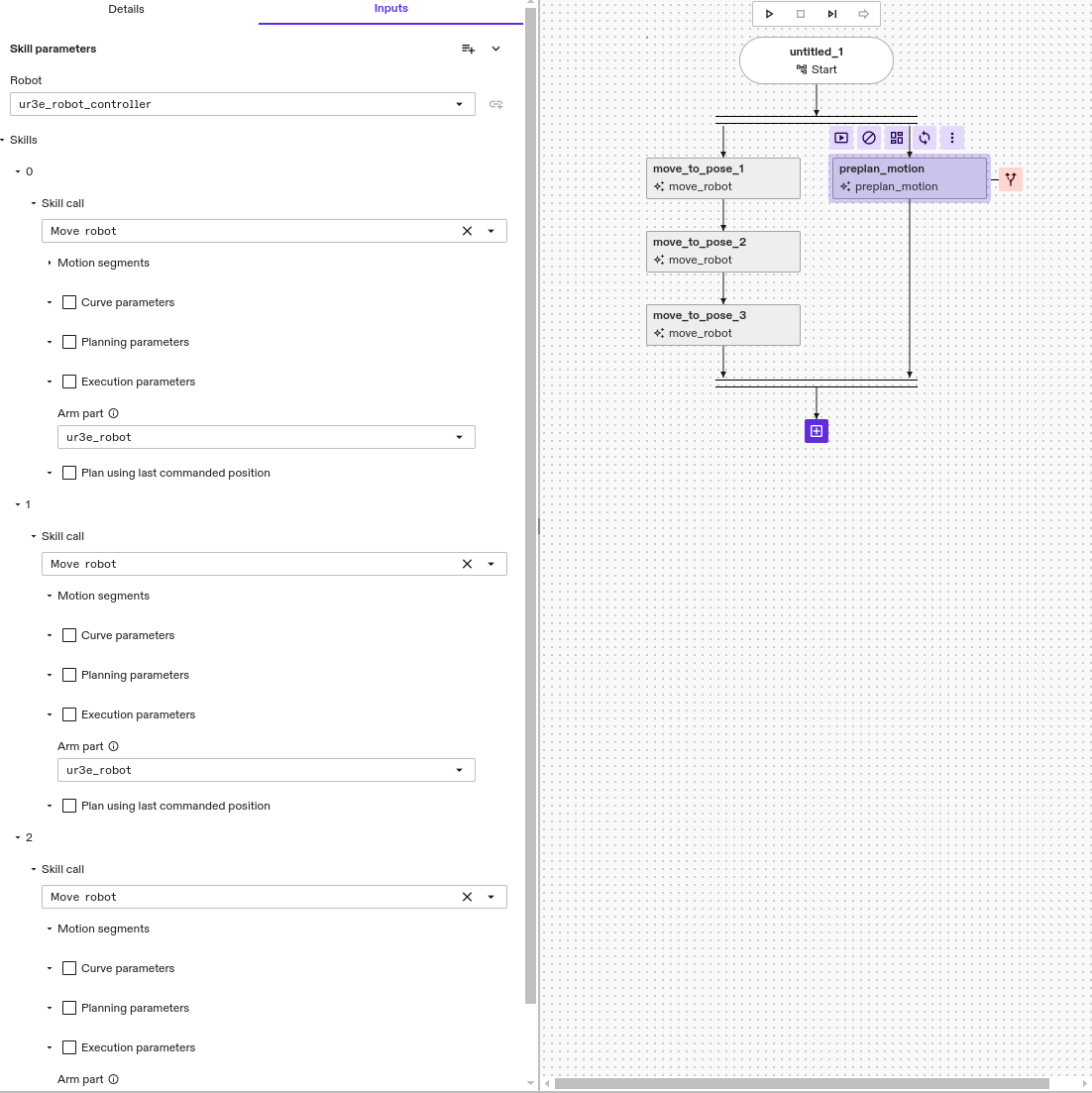
How to preplan motions for a sequence of move_robot skills
This section assumes the user has already configured a sequence of move_robot
skills and they can be successfully executed. To preplan the motion for all
move_robot skills:
- Put a
preplan_motionskill in parallel with allmove_robotskills. - Configure the
preplan_motionskill with three Skill calls ofmove_robotskills. - Make sure the Skill calls are configured with the identical
parameters as each corresponding
move_robotskill.
In some more complex scenarios, there might be some other skills in
between the move_robot skills that modify the world state. For example, in a
pick and place process, there is a attach_object_to_robot skill between two
move_robot skills that moves the robot arm to pick and place poses. To
accurately preplan the motion for these move_robot skills, the user needs to
make sure the attach_object_to_robot skill is also configured in the
preplan_motion's Skill call parameter. This also applies to
detach_object and any other skills that modify the world state.