Set skill parameters
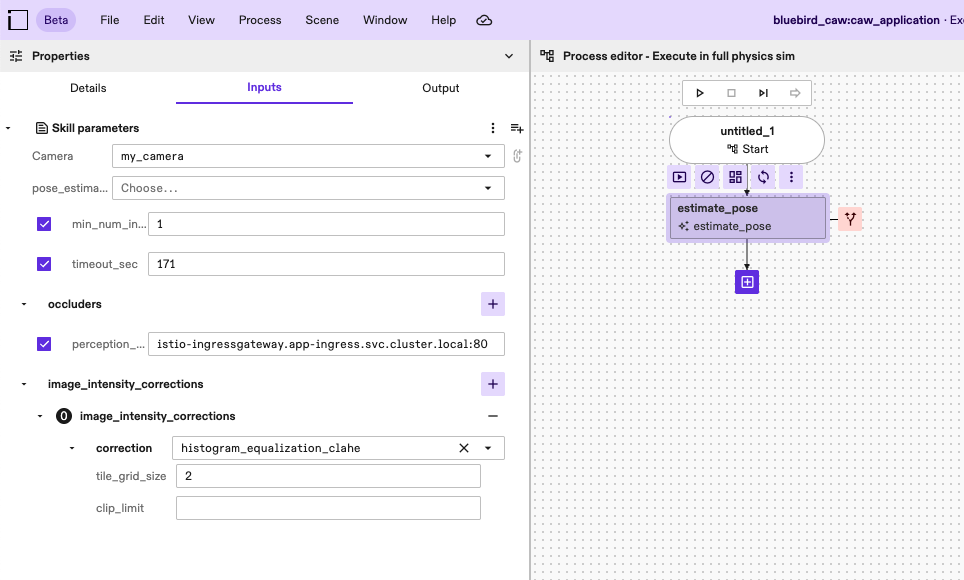
To add parameters to a skill, start by selecting the skill on the process editor. This action opens up a panel on the left-hand side. Then, click on the Inputs tab to open the section where you can view and modify all the skill parameters as needed.
note
See the create process functionality guides for more various usage scenarios using skills.