Create a new Process
Processes are becoming Assets. This migration is incomplete. Documentation on this page primarily describes Process Assets rather than the old (legacy) style of Process. Differences between the new asset flows and legacy flows are pointed out where applicable.
To create a new Process, find the Process editor located on the left-hand side of the Flowstate Editor.
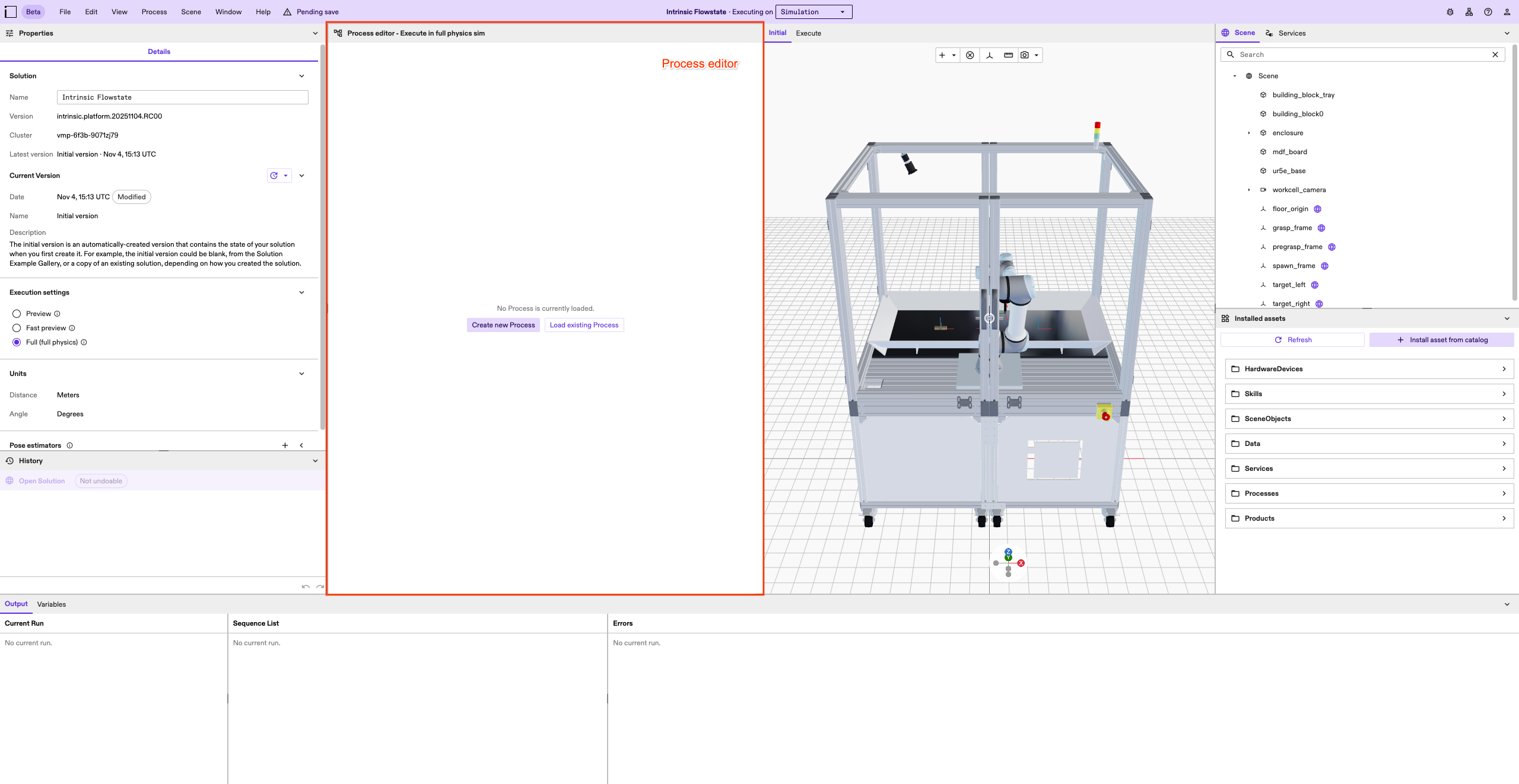
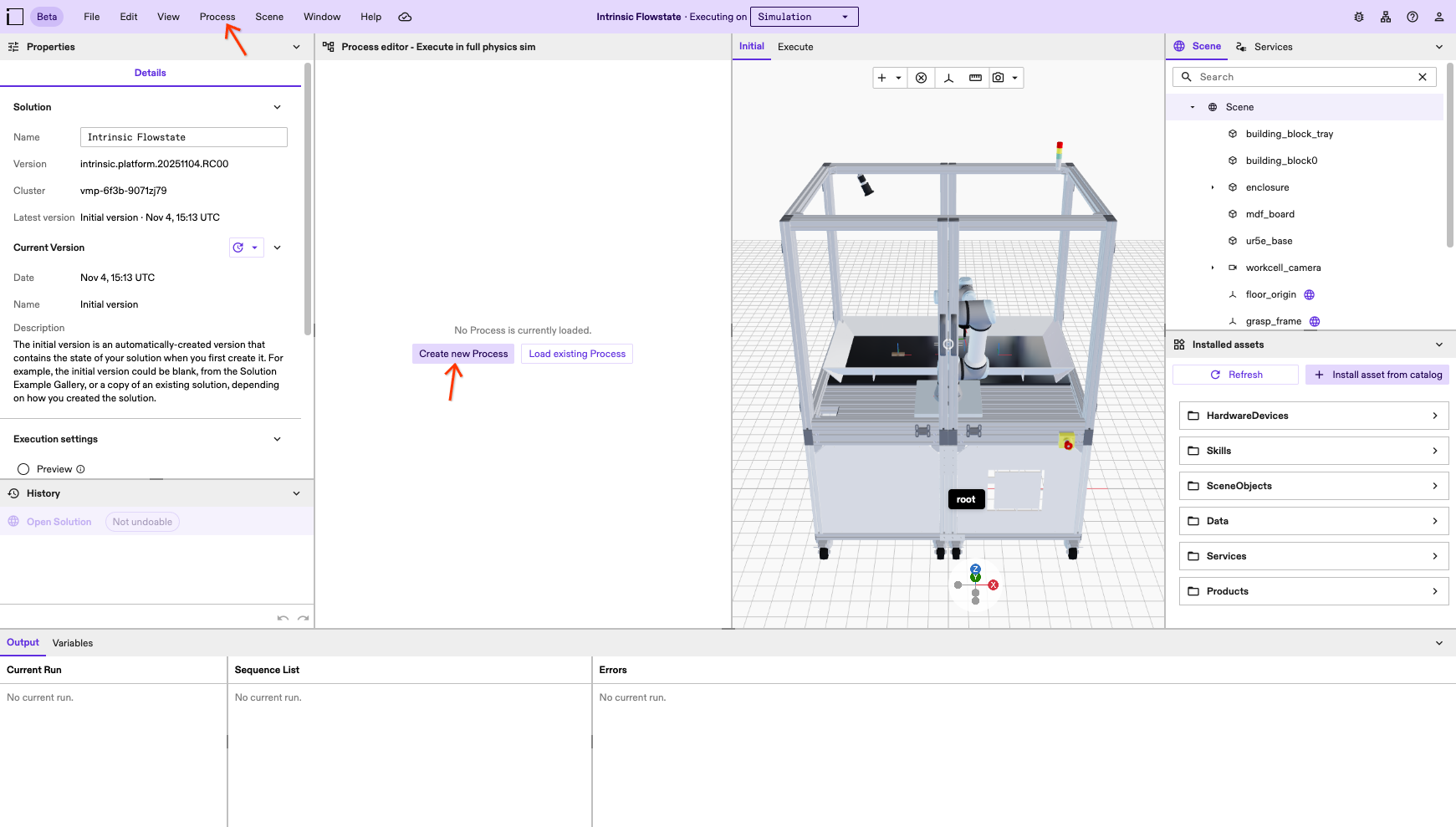
You have two options to create a new Process:
- click the Create new Process button
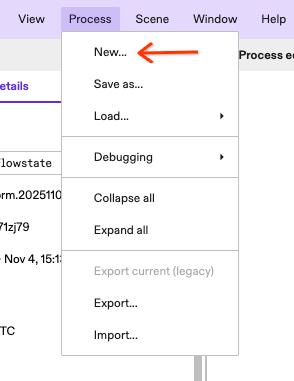
- click the Process menu entry in the top menu bar, then select New...
Selecting the Process entry in the top menu bar will open the Process menu.
Provide Process metadata
Clicking either of the two options for creating a Process described above opens a dialog.
Only a name will be required in this dialog on platform versions that do not yet support creating Processes as Assets.
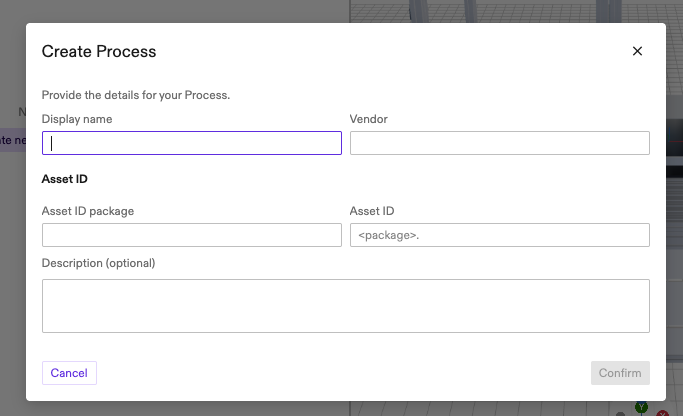
Every Process requires metadata that describes the asset.
- Display name: Descriptive name for the Process.
- Vendor: The vendor of the Process. This should usually be the name of your organization.
- Package: Prefix in the identifier for an asset.
- ID: Unique identifier of the Process within the package.
Fill the fields in the dialog according to your organization's conventions.
The Vendor and Package will be populated automatically based on your organization in the future.
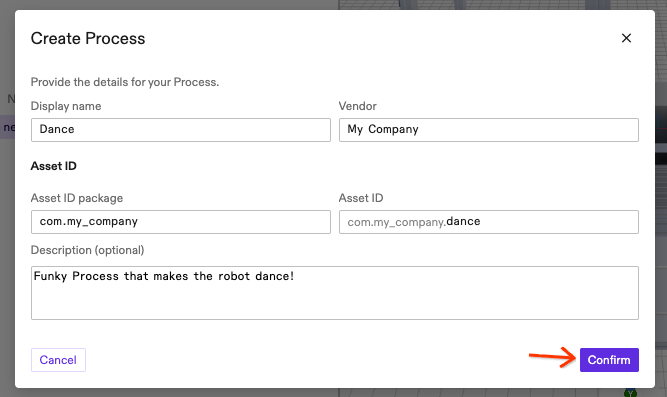
Once you're happy with the metadata, click the Confirm button to create the Process.
The dialog will close and your Process will be loaded into the Process editor.