Uninstall an existing Process
Processes are becoming Assets. This migration is incomplete. Documentation on this page primarily describes Process Assets rather than the old (legacy) style of Process. Differences between the new asset flows and legacy flows are pointed out where applicable.
There are two ways to uninstall an existing Process from the Solution.
Uninstalling the Process asset means to remove it from the Solution.
Uninstall from "Installed Assets" panel
This workflow is only available for Process Assets. Legacy Processes will not show up in the Installed Assets panel.
You can uninstall any Process in the Solution from the Installed Assets panel located on the bottom right of the Solution editor.
Begin by selecting the Processes category in the Installed Assets panel.
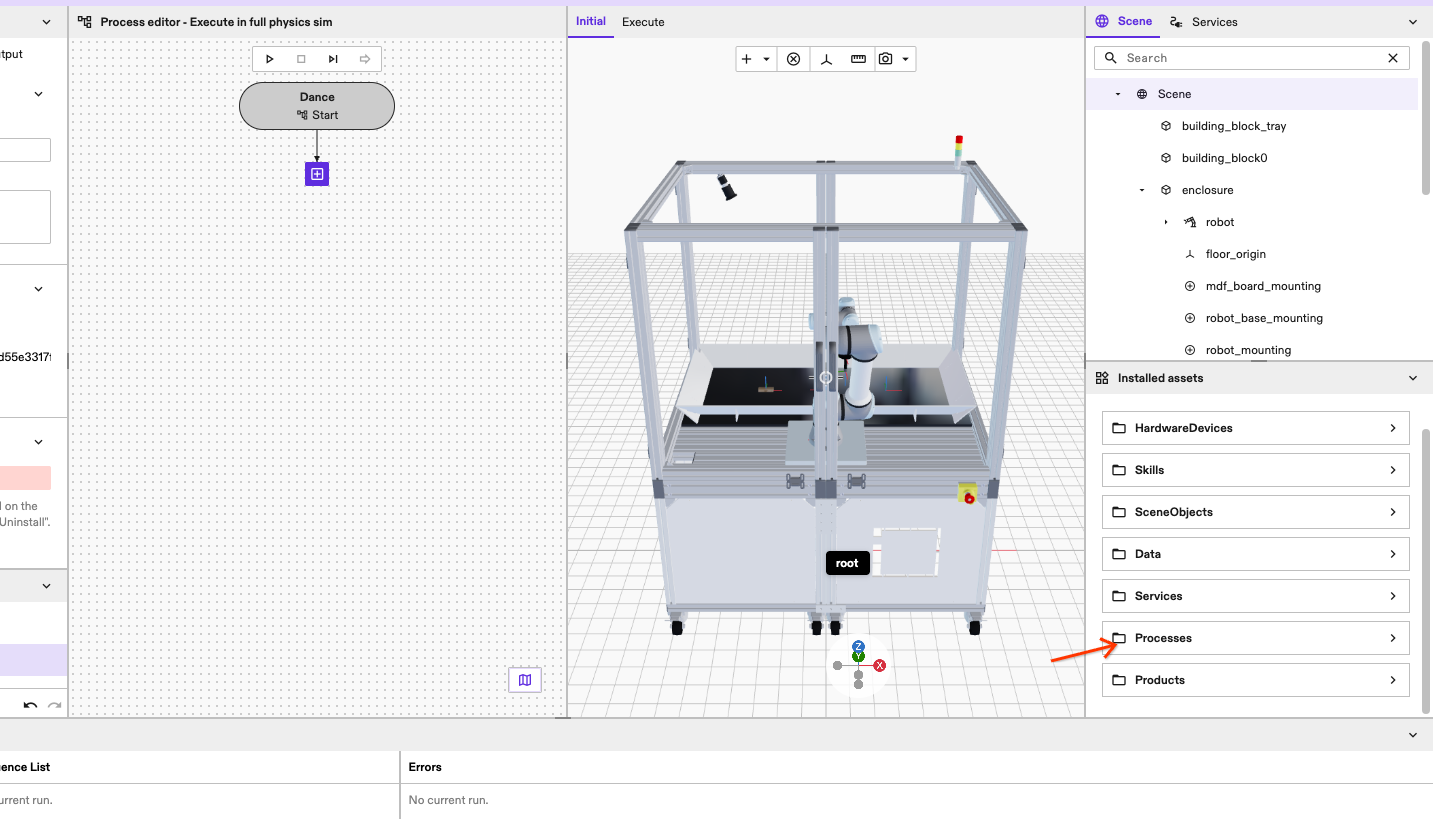
Find the Process you want to uninstall and then right-click on it.
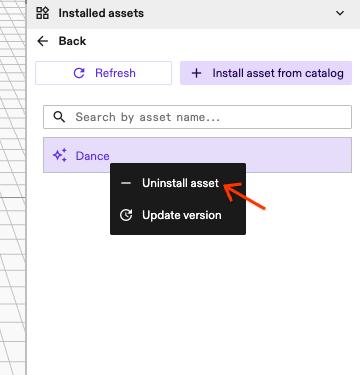
Clicking Uninstall asset in the Installed Assets panel does not require confirmation and cannot be undone. Ensure you select the correct Process.
Click the Uninstall asset option on the Process to irreversibly uninstall it from the Solution.
Uninstall the loaded Process
You can uninstall the currently active Process from the Process Editor by following the steps to create a new Process or load an existing Process.
Begin by selecting the start node of the Process with its display name in the Process editor.
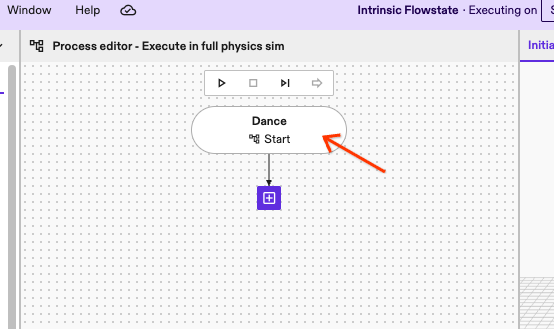
Now find the Uninstall Process asset button in the Details tab of the Properties panel on the left of the Process editor.
For legacy Processes, use the Delete instead. The Uninstall Process asset button will not be present.
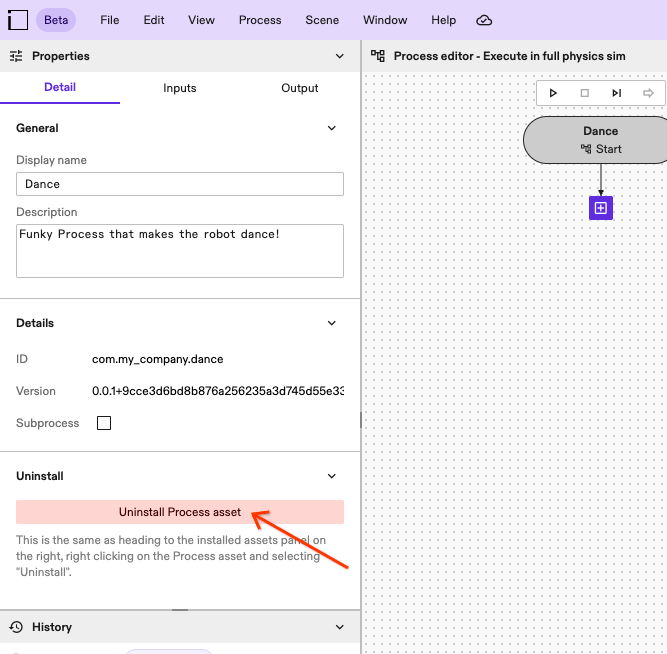
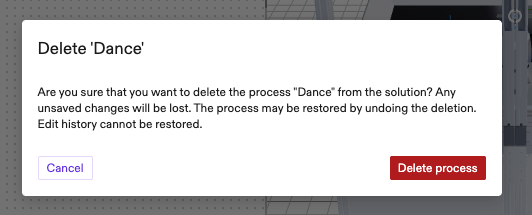
Clicking the button will open a confirmation dialog.
You can undo uninstalling the loaded Process immediately after by hitting Ctrl + Z, selecting Edit > Undo from the top menu bar or clicking the undo button in the History panel.
Uninstalling a Process will always lose the edit history of the Process.