Load an existing Process
Processes are currently being migrated and unified as a type of Asset. Documentation on this page primarily describes Process Assets rather than the old (legacy) style of Process. Differences between the new asset flows and legacy flows are pointed out where applicable.
To load an existing Process, find the Process editor located on the left-hand side of the Flowstate Editor.
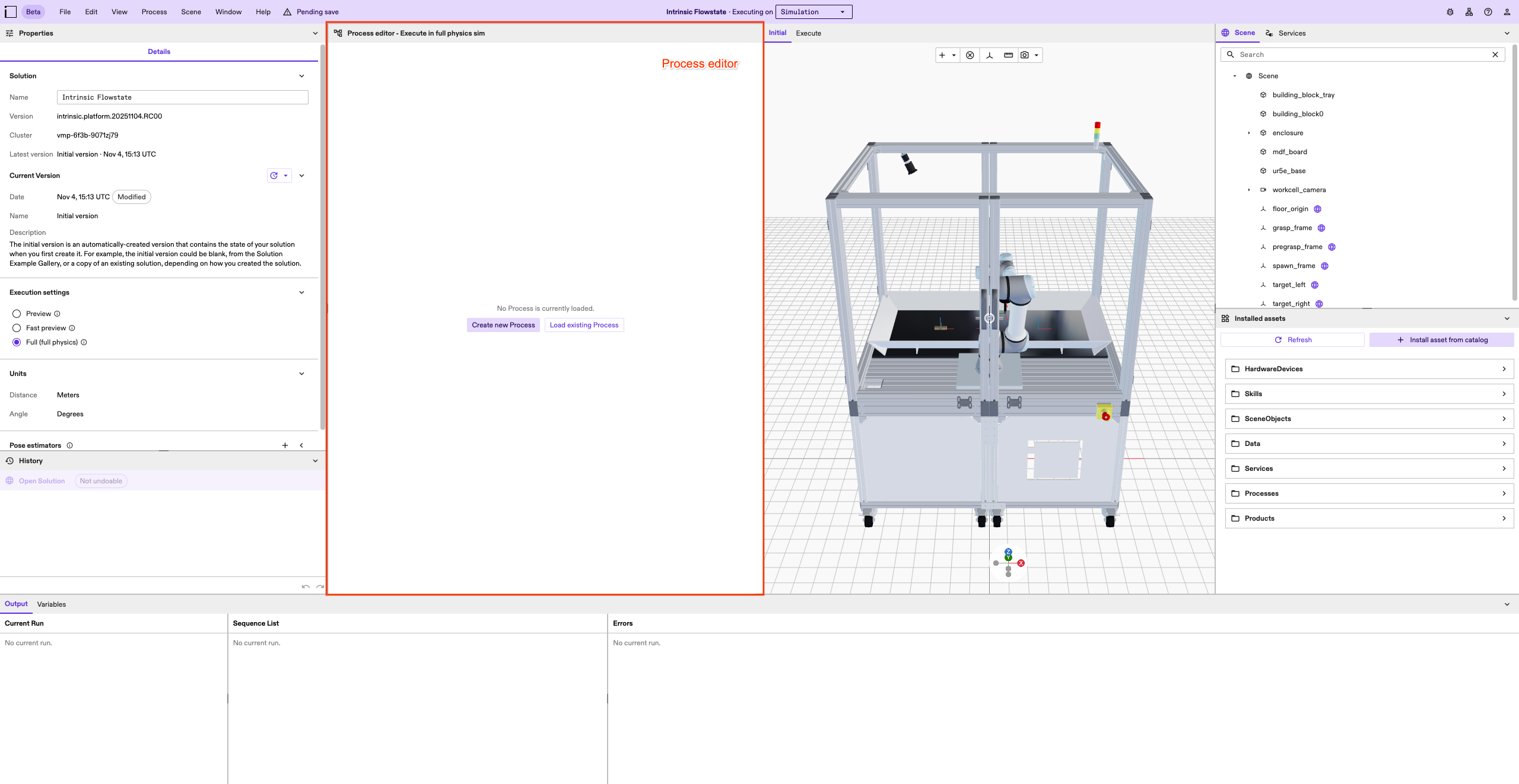
You have two options to load an existing Process:
- click the
Load existing Processbutton, then select the Process - click the
Processmenu entry in the top menu bar, hover overLoad..., then select the Process
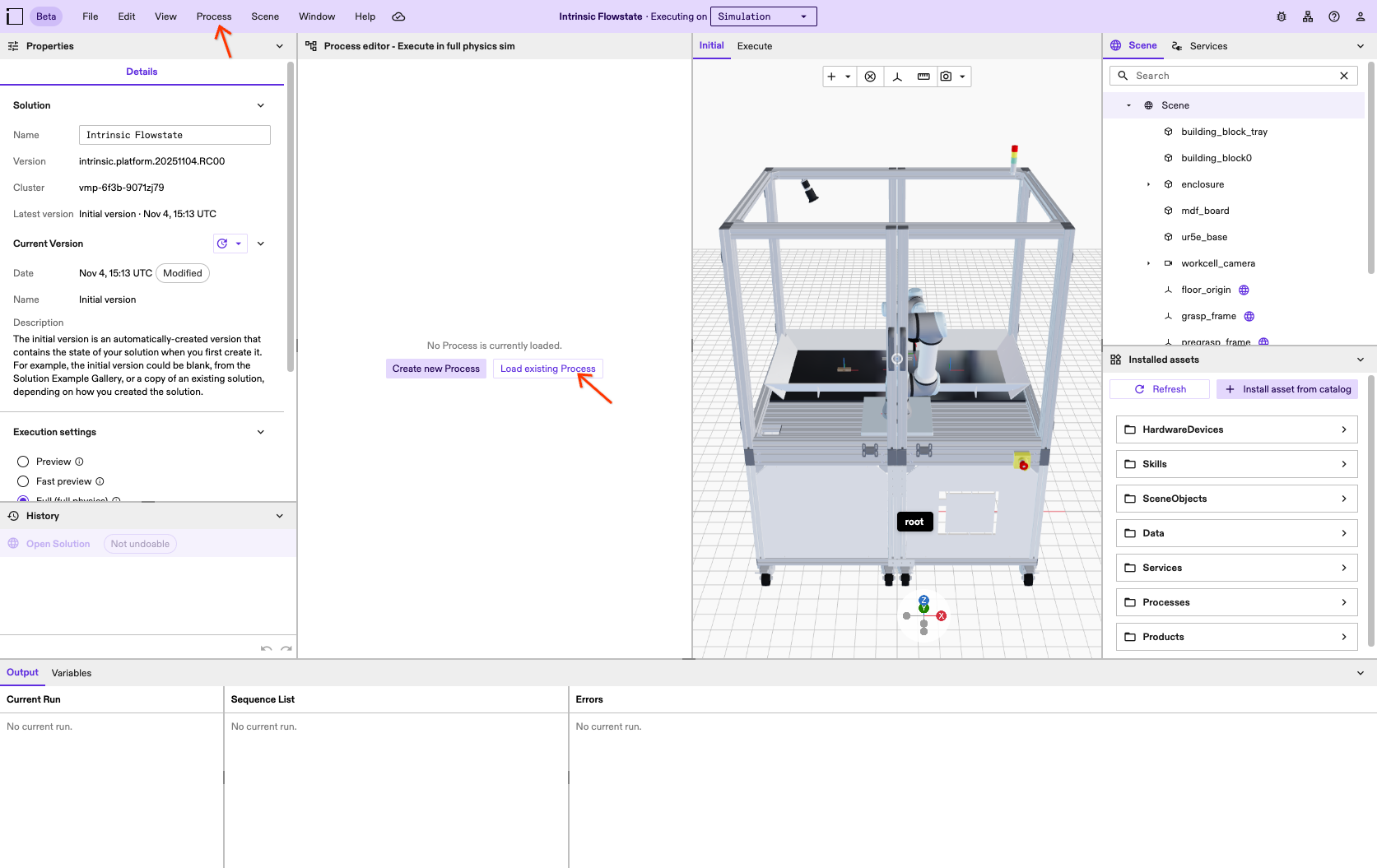
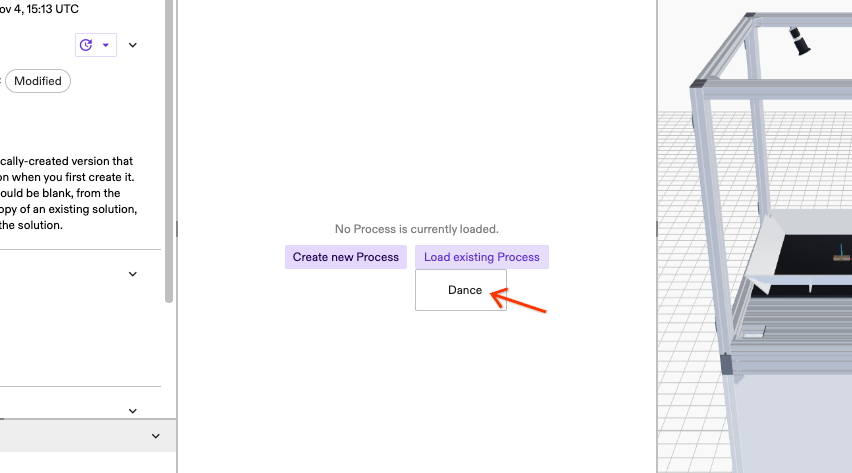
Pressing the Load existing Process will open a list of all existing Processes in the Solution.
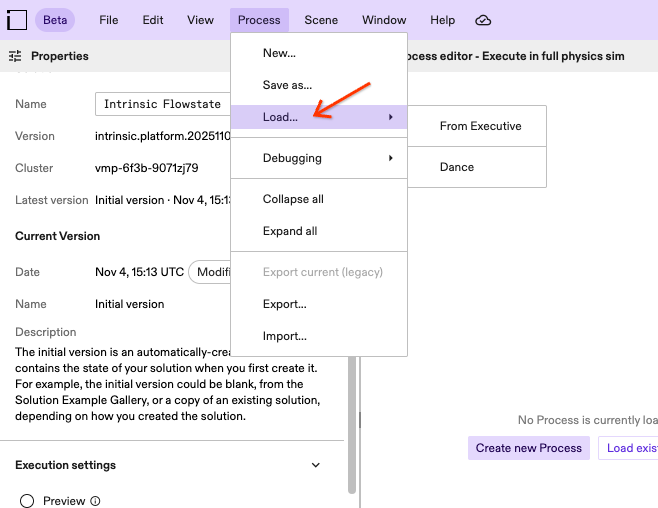
Selecting the Process entry in the top menu bar will open the Process menu. Hovering over the Load... entry will open a menu to load an existing Process.
Load from the Executive
The Executive is responsible for executing Processes. In order to execute a Process, it must be loaded into the Executive. Read the documentation on how to run a Process for details.
You can load and show the Process that is currently loaded into the Executive in the Process Editor.
The Process loaded into the Executive is not necessarily stored in the Solution. Loading the Process from the Executive will not store it in the Solution automatically.
In order to load the Process from the Executive, select Process from the top menu bar.
Afterwards, hover over Load....
As the last step, select From Executive from the menu that appears.
If the executive does not contain a loaded Process at this moment, loading from the Executive will fail. This is non-critical and can usually be safely ignored.