Place a camera
Cameras, such as RGB cameras, are small and moveable objects that can be placed in many locations in your workcell. You can combine them with various lenses to change their field of view. Setting up your camera placement ensures that it can capture all of the relevant parts of a workcell.
The goal of this process is to add pose estimation to the solution, so the camera should be placed in the workcell according to your pose estimation task.
Camera checklist
Before placing your camera(s), consider the following:
- How accurate and flexible do you need pose estimation to be in your solution?
- What are all possible poses (translation/rotation) that the object of interest appears in?
- How much space in your workspace is needed for the camera?
Cover the region of interest
Field of view (FOV) refers to the region of a workspace that is captured by the camera. Ensure that the field of view covers all possible poses (translation and orientation) of the object in the workspace. For a depth camera, remember to take the capture depth into account. Refer to the following images for proper alignment:
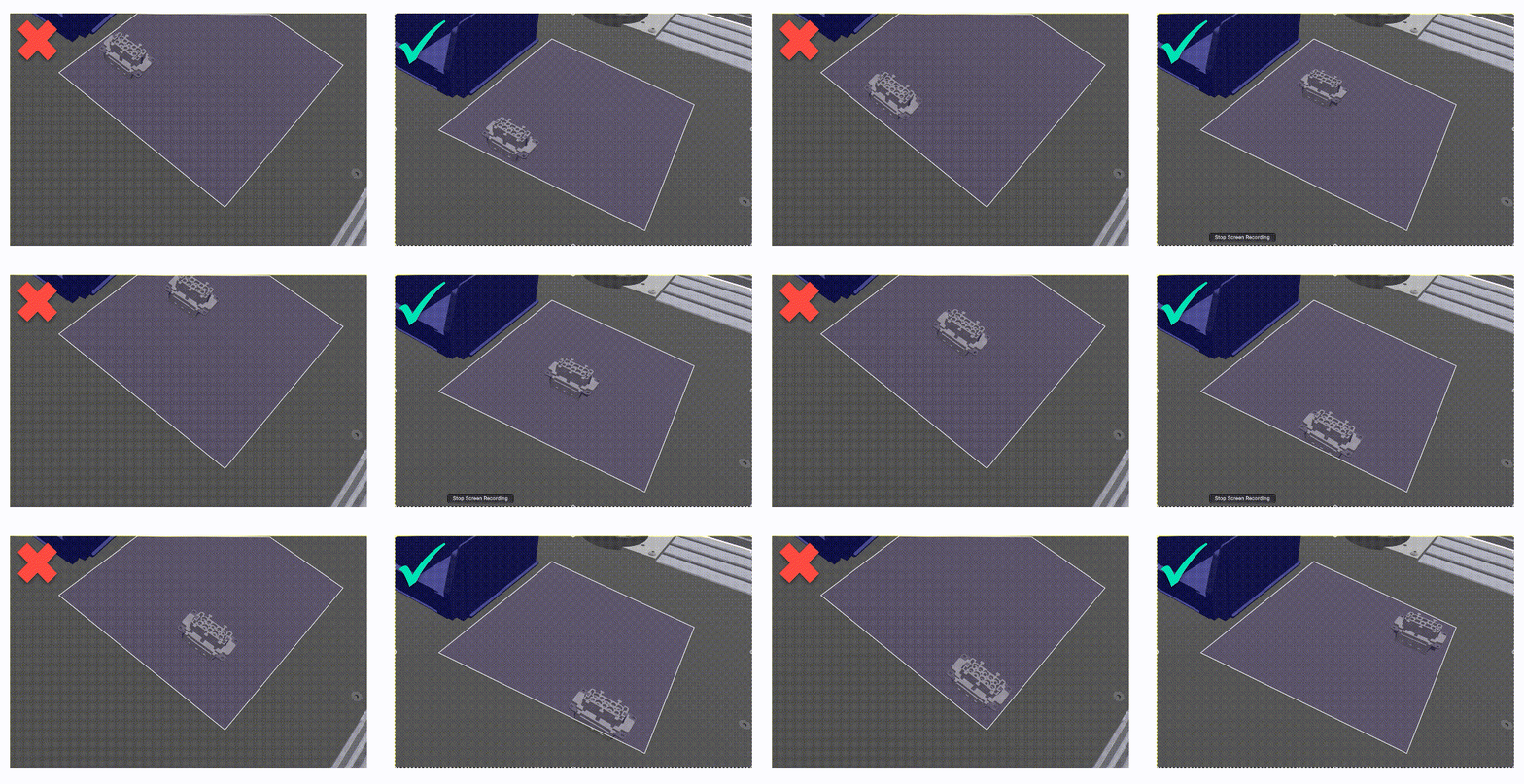
If you are planning on detecting multiple objects with the same camera, check that the field of view covers all possible poses (translation and rotation) of all objects:
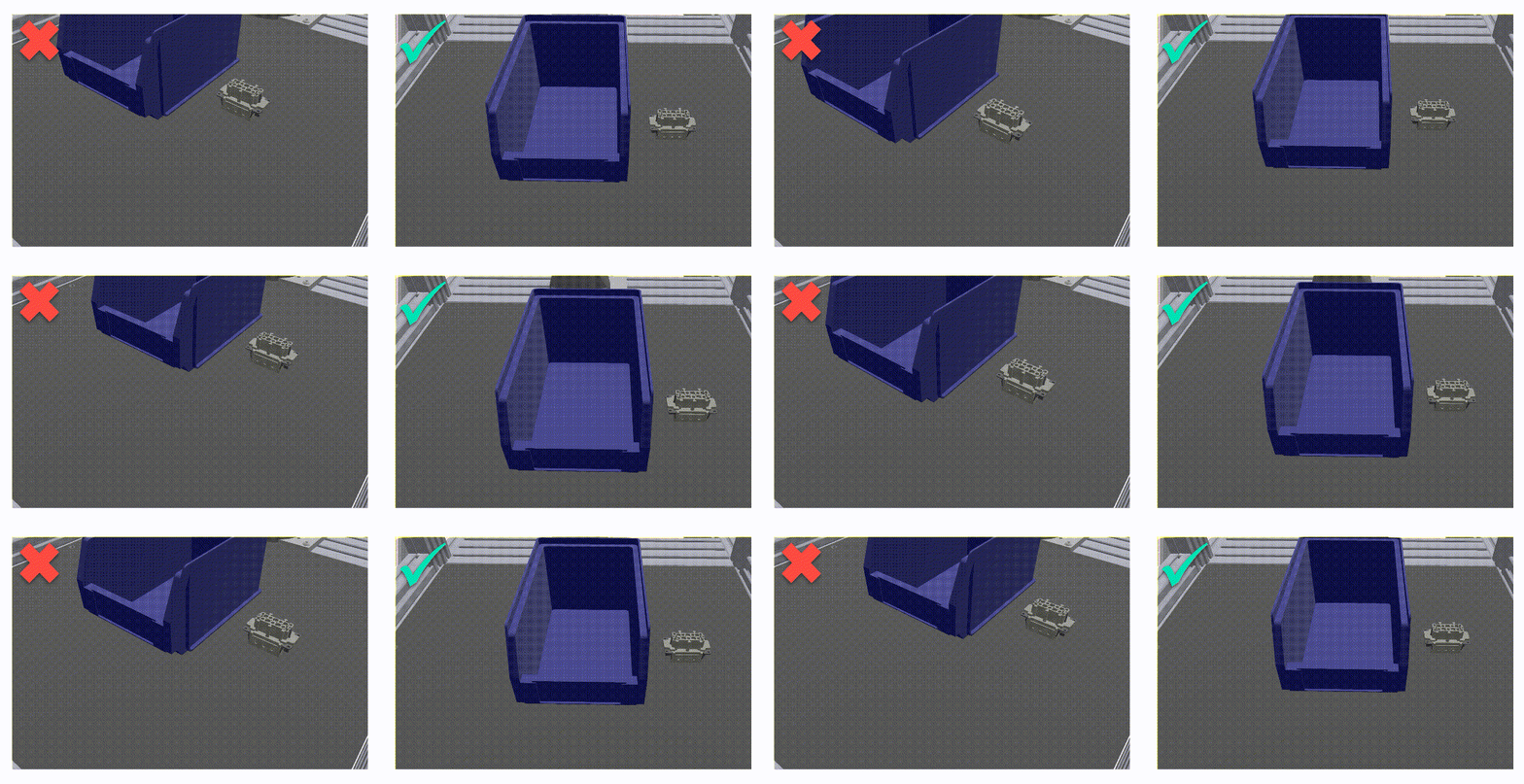
Place the camera as close as possible to the object while covering the entire region of interest.
Placement for multiple cameras
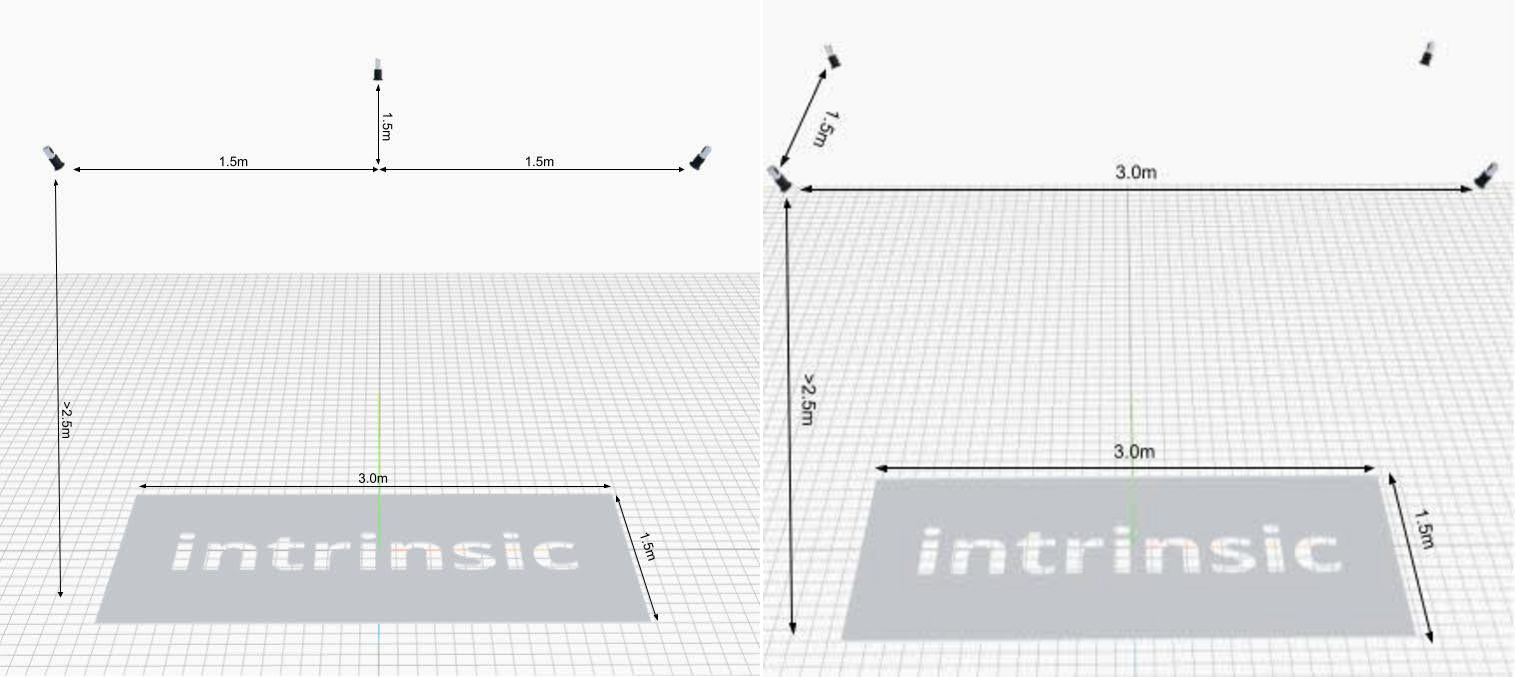
With multiple cameras ensure that the overlapping fields of view cover the region of interest. The distance between the cameras should be roughly half the length of the region of interest and the angle between cameras should be 45-90 degrees. We recommend setting up 3 cameras in a triangular configuration or 4 cameras in a rectangular one:
Static or moving (on-arm) camera
| Static camera(s) | Moving (on-arm) camera(s) |
|---|---|
| Short cycle time through parallelizing pose estimation and robot movement. | Higher cycle time (pose estimation happens after the camera has been moved). |
| Fixed FOV limits flexibility to applications where the object is visible in the camera. | More flexibiliy since the camera can be moved as long as the distance to the object of interest stays roughly the same. |
| Often larger object-camera distance lowers pose estimation accuracy. | Pose estimation accuracy can be increased by moving the camera closer to the object. |
| Multiple cameras can be placed with large baseline distances between them, improving pose estimation accuracy. | The size of a multi-camera rig is limited by self-collisions, which lowers the possible baseline distance between cameras pose estimation accuracy. |
Mount all cameras rigidly. For moving cameras, make sure to avoid collisions and wires getting tangled which might change the position relative to the flange.