Configure network interfaces on Intrinsic OS
Intrinsic OS supports static network configurations for environments that cannot provide DHCP.
Since Intrinsic OS is fundamentally internet connected and local configuration requires network connectivity, mistakes on this configuration page can be irreversible and require a factory reset.
Using the local configuration page before device registration is not supported yet.
Open the local configuration page
It's expected that your browser will inform you about an untrusted certificate when you first open this page. In this case it is ok to ignore this warning and continue.
Find the IP Address of the IPC following the find IP Address guide.
To configure a network interface, open https://192.168.208.211:2461/web/config/network in your browser.
Make sure you replace the IP Address (192.168.208.211) with the IP Address of your IPC.
When you have correctly entered the URL of the local configuration page, you should see the network configuration page which looks like this:
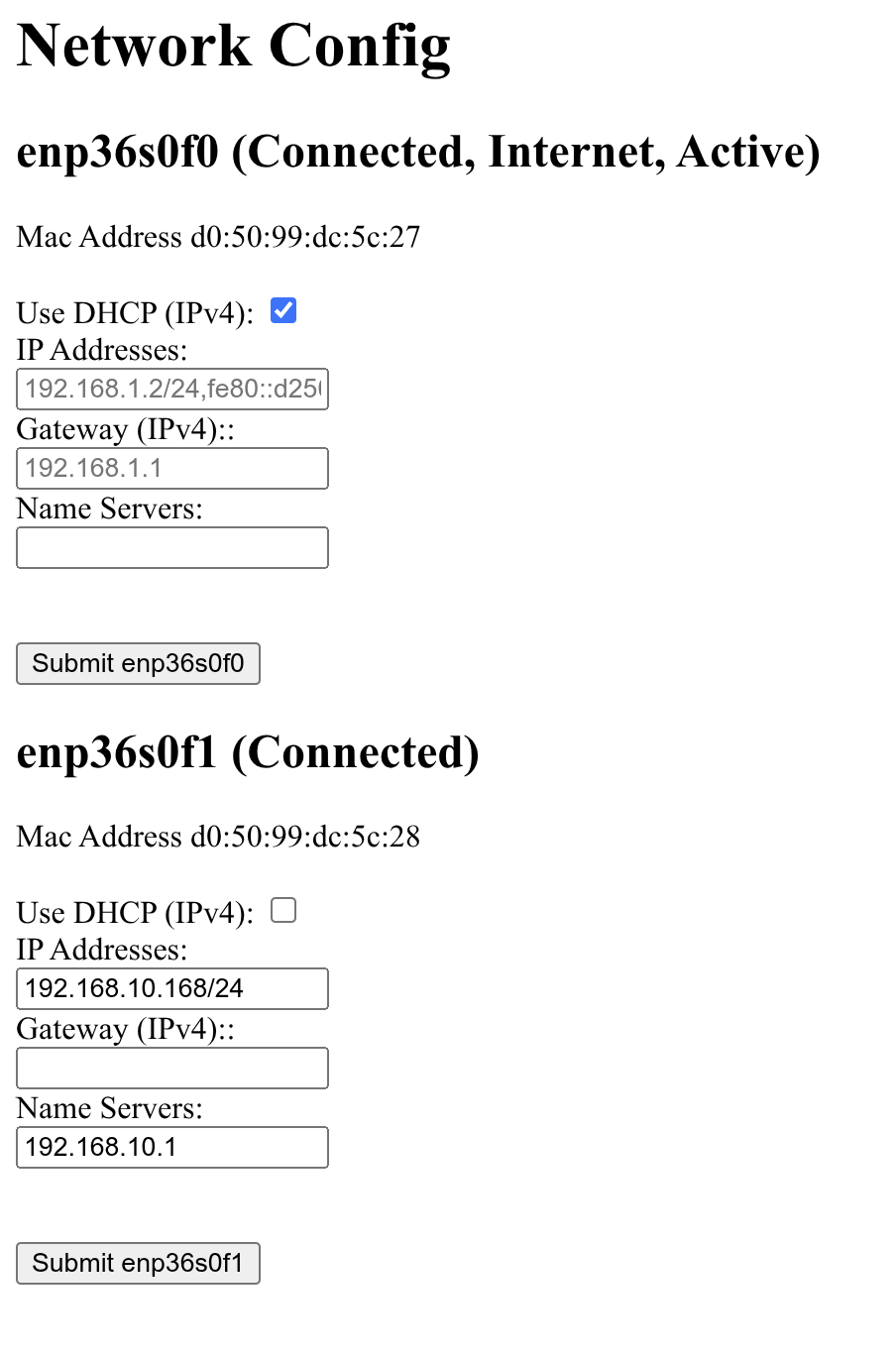
Changes are sent to the IPC when you press "Submit". There is one "Submit" button per interface, and configuration can only be set for one interface at a time.
Pick interface for configuration
The network configuration page provides some guidance to pick the correct interface.
Interfaces have different tags next to their name, depending on their current use.
-
Connected: An interface that shows as connected, has a peer connected. This means there's a cable plugged in which connects to some other computer or network equipment.
-
Internet: An interface with the "Internet" tag is suitable to reach the internet. Most likely your upstream interface.
In technical terms: This is set when the interface has a default route assigned.
-
Active: The active interface is the interface used to show this configuration page.
It is highly advised not to change anything related to the active interface, since it may make it impossible to change configuration afterwards.
Configure the network
-
DHCP (IPv4): Checking this box tells the IPC to use DHCP to get an IPv4 address and gateway.
-
IP Addresses: This is a comma separated list of static IP addresses including
-
their netmask in prefix length notation.
This means 192.168.1.2 with netmask 255.255.255.0 becomes 192.168.1.2/24.
-
Gateway (IPv4): This field is for the default gateway of the network.
-
DNS Servers: This is a comma separated list of DNS servers for your network.